Counter 10 · Tools & Software
Verified 06 Aug 2026
Grammarly
 GR
GRCatches typos and tone problems before a client sees them
Grammarly checks grammar, clarity and tone in emails, proposals and social posts, which is useful when English is a second language for a client or when you are writing fast between calls. The browser extension works inside Gmail, Slack and most web apps rather than requiring a separate editor. Good for anyone whose income depends on written communication reading as polished.
What Grammarly actually checks
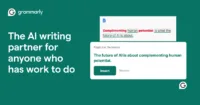
Grammarly is an AI writing assistant that checks grammar, spelling, punctuation, tone and clarity in real time, directly inside your browser, email client, Slack and Google Docs. You do not need to paste text into a separate editor first. It runs as a browser extension, desktop app and mobile keyboard, flagging errors as you type and suggesting full-sentence rewrites on the paid tier. If your income depends on writing that reads clean, it catches typos and tone problems before a client sees them.
Why it matters for freelancers and remote workers
Digital nomads and freelance consultants send a lot of client-facing email, proposals and Slack messages fast, often between calls or time zones, with no second pair of eyes to check tone before hitting send. Grammarly's browser extension works inline in Gmail and most web apps, which matters more day to day than a standalone editor when your actual writing happens scattered across a dozen tabs. It also helps when English is a second language for a client or collaborator, since the tone detector flags when a message reads harsher or more casual than intended before you send it.
Free vs Pro: what you actually get
The free version covers grammar, spelling and punctuation checking with basic tone detection and has no word limit, which covers a lot of day-to-day writing on its own. Grammarly Pro (the current name for what used to be sold as Premium) runs $12/month billed annually or $30/month billed monthly, and adds full-sentence rewrites, a plagiarism checker, deeper tone and clarity suggestions, and a monthly allotment of AI prompts. Team pricing, now folded into a Pro team tier, starts around $15 per user per month annually. Most freelancers can stay on free and only upgrade once they hit a specific wall, like needing plagiarism checks for client deliverables.
The honest caveat
Grammarly reads everything you type into a supported field and sends it to their servers for processing. That means it is a poor fit for anything under an NDA, or legal, medical or financial content you cannot risk leaving your machine. The company does not sell your data and holds a SOC 2 attestation, but the browser extension has broad access by design, and some nomads disable it specifically on client portals or contract drafts. It also needs a live internet connection to check anything, so it is one more tool that quietly stops working on a bad hostel Wi-Fi day.
What works
- The browser extension checks writing inline inside Gmail, Slack, Docs and most web apps, so there is no separate editor step to remember
- Free tier has no word limit and covers grammar, spelling, punctuation and basic tone detection at no cost
- Tone detector flags messages that read harsher or more casual than intended, useful for client email across time zones and language barriers
- Pro adds full-sentence rewrites and a plagiarism checker for client deliverables that need to be provably original
What to watch
- Requires a live internet connection for every check, which is a real problem on unreliable travel Wi-Fi
- Reads and processes everything typed into a supported field on their servers, so it is a poor fit for NDA-covered, legal, medical or financial writing
- Pro pricing runs $12/month annual ($30/month if paying monthly) after Grammarly folded Premium and Business into a single Pro tier, so the free tier's ceiling can arrive faster than expected
Questions at the counter
Is Grammarly worth it for freelancers?
Yes for client-facing email and proposals, if you stay on the free tier until you specifically need plagiarism checks or full-sentence rewrites. The free version already covers grammar, spelling, punctuation and basic tone detection with no word limit, and works inline across Gmail, Slack and most web apps, so many freelancers never need to pay.
What is the difference between Grammarly free and Grammarly Pro?
Free covers core grammar, spelling and punctuation checking plus basic tone detection. Pro (the current name for what was Premium) adds full-sentence rewrites, a plagiarism checker, deeper tone and clarity suggestions, and a monthly AI prompt allotment, for $12/month billed annually or $30/month billed monthly.
Is Grammarly safe to use with client work?
For everyday client email and proposals, yes: Grammarly holds a SOC 2 attestation, uses encryption, and does not sell user data. It is not recommended for anything under an NDA or containing legal, medical or financial specifics, since the extension sends whatever you type to Grammarly's servers for processing.
Does Grammarly work offline while traveling?
No. Grammarly needs an active internet connection to run every check, since the analysis happens on their servers rather than locally. On slow or unreliable hostel and coworking Wi-Fi, the extension can lag or stop suggesting entirely until the connection stabilizes.